
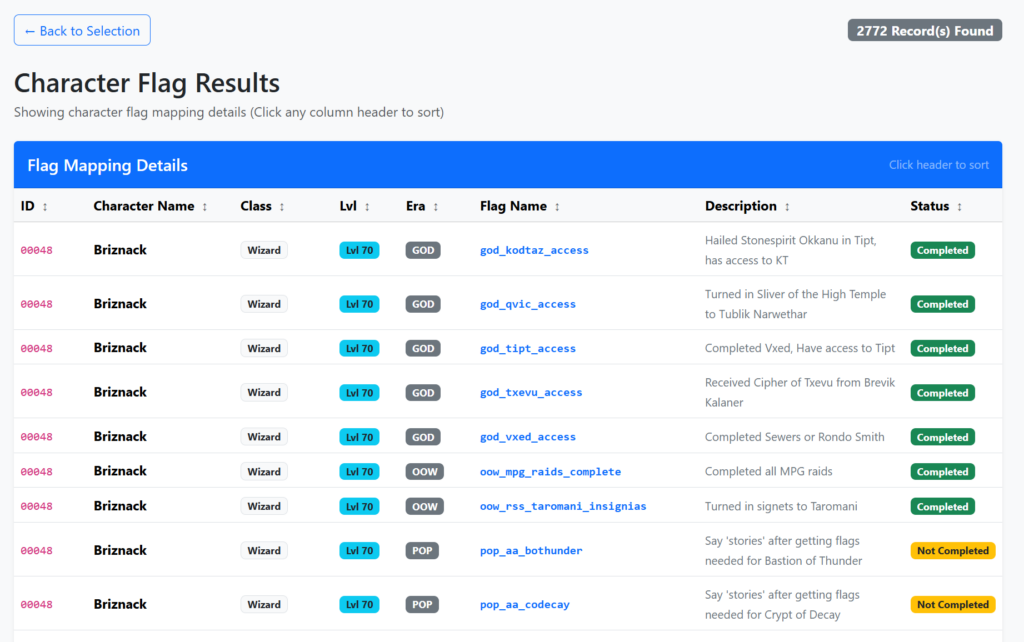
This has taken awhile to get up and running, but its finally here after nearly a month of on and off development. The website for the tool is:
https://peqwebtool.dragonsofasia.com
This does require a google account. This is used so I didn’t have to create my own method for handling logins.
Steps to use:
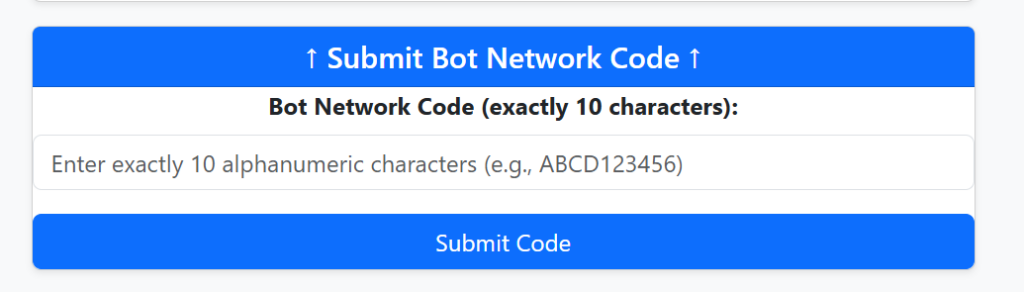
- Visit the Database Administrator in Plane of Tranquility or Nexus with a single toon and say ‘ready’ to get assigned a bot network code (save it for later)
- With the rest of your toons, you can say ‘join <code>’ to join the same bot network.
- Go to the website, log in with your google account, and select the toons link and enter the same code to add your toons to the application and associate them with your account.
- If you add additional toons to the network, you can add them to your account using the same form at any time, keep in mind, adding them with the same bot code will add any toon associated with that code even if you removed them.
- Once added, you can search for flags, spells, and items for your entire bot army. We hope you enjoy!

-Sentinok
If you find this helpful, consider a small donation
Leave a Reply